Tutorial
May 16, 202614 min read
How To Build AI Avatar Chatbots with Next.js, HeyGen, and OpenAI
Build a real-time AI avatar chatbot with Next.js, HeyGen Streaming Avatar, OpenAI, and WebRTC — architecture, code, and deployment.
Nikhil Anand
Lead Developer @ DevKit
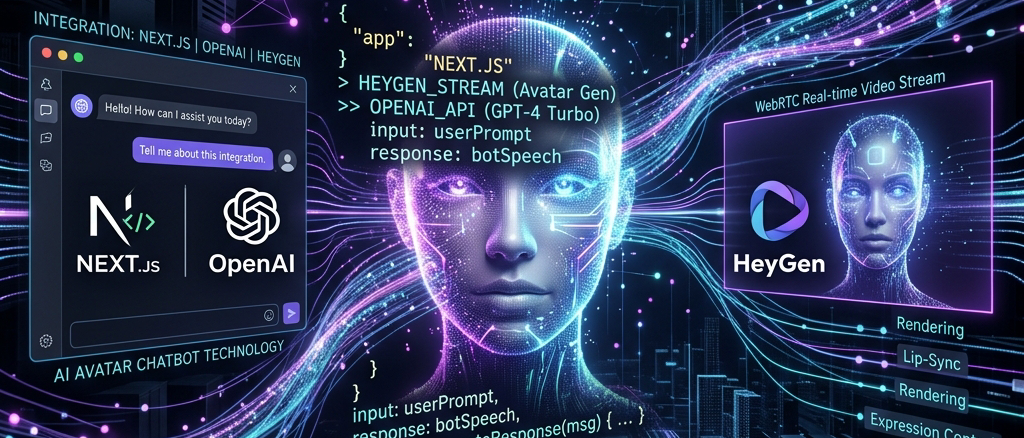
AI avatar chatbots are quickly becoming one of the most interesting areas in conversational AI. Instead of showing users a traditional chat window, these systems combine real-time voice interaction, large language models, and streaming avatars to create human-like digital assistants.
Companies are already using interactive AI avatars for:
- customer support
- onboarding flows
- sales demos
- AI tutors
- virtual receptionists
- healthcare assistants
- creator tools
The biggest shift is that users no longer want static chatbots. They want real-time conversational experiences with voice, emotion, and visual presence.
In this guide, you'll learn how to build an AI avatar chatbot using:
- Next.js
- HeyGen Streaming Avatar
- OpenAI
- WebRTC
- TypeScript
You'll also see how to speed up development using the pre-built AI avatar starter kit from DevKit Market and the open-source GitHub repository: AI Avatar Video Agent GitHub Repository.
The architecture and implementation patterns below are based on how modern streaming avatar systems work using HeyGen's interactive avatar APIs and Next.js integrations.
Table of Contents
- What Is an AI Avatar Chatbot?
- How AI Avatar Chatbots Work
- AI Avatar Chatbot Architecture
- Choosing the Right Tech Stack
- Setting Up the Next.js Project
- Integrating HeyGen Streaming Avatar
- Connecting OpenAI for Conversations
- Adding Voice Input and Speech Recognition
- Real-Time Streaming with WebRTC
- Building the Chat Interface
- Managing Avatar Sessions
- API Examples
- Scaling an AI Avatar Application
- Common Challenges
- Deployment Strategy
- Using a Pre-Built AI Avatar Starter Kit
- Final Thoughts
What Is an AI Avatar Chatbot?
An AI avatar chatbot is a conversational system where users interact with a visual avatar instead of a traditional text interface.
Unlike basic chatbots, AI avatars combine:
- voice input
- speech synthesis
- large language models
- facial animation
- streaming video
- real-time interaction
The avatar acts as the "face" of the AI model.
Modern avatar systems use streaming APIs and WebRTC pipelines to render the avatar in real time. Platforms like HeyGen provide APIs that developers can integrate directly into web applications.
How AI Avatar Chatbots Work
DevKit GrowthBoilerplate
Build 10x faster with production-grade templates
Join 15,000+ developers shipping SaaS products without the repetitive plumbing. Get free developer checklists, boilerplate kits, and architectural tutorials.
At a high level, the flow looks like this:
Text
User Speech ↓Speech-to-Text ↓OpenAI / LLM Processing ↓Generated Response ↓Text-to-Speech ↓Avatar Rendering ↓Streaming Video OutputThe avatar itself is not "thinking."
The intelligence comes from the LLM layer, while the avatar system handles:
- facial movement
- lip sync
- voice rendering
- real-time video streaming
This separation is important because it allows you to swap:
- AI models
- voice providers
- avatar providers
- memory systems
without rebuilding the entire application.
AI Avatar Chatbot Architecture
Here's a production-ready architecture for AI avatar chatbot development.
Text
Frontend (Next.js) ↓WebSocket / WebRTC ↓Avatar Streaming Layer ↓HeyGen Streaming Avatar SDK ↓OpenAI API ↓Conversation Memory ↓DatabaseThis architecture is commonly used in interactive avatar demos built with Next.js and streaming avatar APIs.
Choosing the Right Tech Stack
For AI avatar chatbot development, your stack matters a lot because real-time streaming is resource intensive.
Recommended Stack
The open-source avatar demos from the HeyGen ecosystem also heavily rely on Next.js and TypeScript.
Why Next.js Works Well for AI Avatar Apps
Next.js is one of the best choices for interactive AI avatars because it provides:
- server actions
- API routes
- streaming support
- edge deployments
- optimized frontend rendering
It also works well with:
- WebRTC
- realtime state management
- AI SDKs
- authentication systems
Most modern AI avatar demos are already built around the Next.js ecosystem.
Setting Up the Project
Start by creating a Next.js TypeScript application.
Terminal
npx create-next-app@latest ai-avatar-chatbotInstall dependencies:
Terminal
npm install openainpm install @heygen/streaming-avatarnpm install zustandnpm install tailwindcssThen create your environment variables:
.env
OPENAI_API_KEY=HEYGEN_API_KEY=Integrating HeyGen Streaming Avatar
The core of the visual layer is the streaming avatar SDK.
HeyGen's interactive avatar infrastructure allows developers to create:
- live avatars
- conversational video agents
- real-time streaming avatars
- AI-powered presenters
Their SDK is designed specifically for realtime avatar rendering and conversational experiences.
Example Avatar Initialization
TypeScript
const avatar = new StreamingAvatar({ token: process.env.HEYGEN_API_KEY,});Creating a Session
TypeScript
const session = await avatar.createStartAvatar({ quality: "high", avatarName: "default-avatar",});This creates the live streaming session.
Connecting OpenAI for Conversational Intelligence
Your avatar becomes useful only when connected to an LLM.
The OpenAI layer handles:
- reasoning
- context
- memory
- conversation generation
Example:
TypeScript
const completion = await openai.chat.completions.create({ model: "gpt-4.1", messages: [ { role: "user", content: userMessage, }, ],});Then pass the generated text back into the avatar system.
TypeScript
await avatar.speak({ text: completion.choices[0].message.content,});This creates the full conversational loop.
Adding Voice Input and Speech Recognition
Voice interaction dramatically improves immersion.
Typical voice pipeline:
Text
Microphone ↓Speech Recognition ↓OpenAI Processing ↓Avatar Response ↓Speech Synthesis ↓Streaming OutputFor speech recognition, developers commonly use:
- Deepgram
- Whisper
- AssemblyAI
For voice synthesis:
- ElevenLabs
- HeyGen Voice
- Azure Speech
Real-Time Streaming with WebRTC
WebRTC is essential for low-latency avatar streaming.
Without WebRTC:
- avatar responses feel delayed
- lip sync becomes inaccurate
- conversations feel robotic
Most realtime avatar systems rely on:
- WebRTC
- WebSockets
- event streams
to keep interactions fluid.
Building the Chat Interface
Your UI should feel conversational, not enterprise-heavy.
Recommended layout:
- avatar video area
- live transcript
- microphone controls
- session state
- streaming indicators
Example React component:
TSX
export default function Chat() { return ( <div className="flex flex-col"> <video autoPlay playsInline /> <textarea placeholder="Talk to avatar..." /> </div> );}Managing Avatar Sessions
One common issue in AI avatar chatbot development is session instability.
You need to handle:
- reconnect logic
- dropped WebRTC sessions
- streaming timeouts
- memory persistence
Developers using streaming avatars often run into:
- websocket interruptions
- latency spikes
- avatar speech interruptions
These are common issues discussed in HeyGen implementation threads and demos.
API Example: Sending Messages
TypeScript
await fetch("/api/chat", { method: "POST", body: JSON.stringify({ message: userInput, }),});Server route:
TypeScript
export async function POST(req: Request) { const body = await req.json();
const response = await openai.chat.completions.create({ model: "gpt-4.1", messages: [ { role: "user", content: body.message, }, ], });
return Response.json(response);}Scaling an AI Avatar Application
Once traffic increases, streaming costs become significant.
The biggest scaling challenges are:
- GPU rendering
- realtime streaming bandwidth
- speech processing costs
- concurrent sessions
You should:
- cache conversations
- optimize streaming quality
- reduce token usage
- limit idle sessions
For large-scale deployments:
- use Redis
- add queue systems
- separate avatar workers
- deploy globally
Common Challenges in AI Avatar Development
1. Latency
Even small delays break immersion.
Solutions:
- edge deployments
- streaming APIs
- smaller LLM responses
- optimized voice synthesis
2. Avatar Interruptions
Sometimes avatars continue speaking after interruption events.
This is a known issue developers discuss when implementing streaming avatars.
3. API Costs
Streaming avatars are expensive compared to normal chatbots.
Cost drivers:
- video rendering
- GPU usage
- speech APIs
- LLM tokens
Deployment Strategy
For production deployment:
Next.js applications work especially well on Vercel because of:
- edge runtime support
- API routes
- realtime streaming compatibility
Build Faster Using a Pre-Built AI Avatar Starter Kit
Building a realtime AI avatar application from scratch takes significant engineering work.
Instead of manually wiring:
- avatar streaming
- OpenAI integration
- WebRTC handling
- session management
- TypeScript setup
- frontend architecture
you can start with a production-ready foundation.
The AI Avatar Video Agent Starter Kit by DevKit Market includes:
- Next.js architecture
- HeyGen integration
- OpenAI integration
- realtime avatar setup
- TypeScript support
- modern UI components
You can also explore the open-source implementation here:
The product is designed specifically for developers building:
- conversational AI avatars
- virtual assistants
- realtime AI presenters
- AI onboarding systems
- customer support avatars
The positioning around "ship AI avatar apps faster" is particularly strong because most developers struggle with the realtime infrastructure layer.
Final Thoughts
AI avatar chatbot development is still in its early stages, but the market is moving fast.
Developers are already building:
- AI tutors
- virtual sales agents
- customer support avatars
- healthcare assistants
- creator companions
- onboarding agents
The combination of:
- Next.js
- OpenAI
- HeyGen
- WebRTC
makes it possible to create surprisingly realistic conversational experiences.
The hardest part is not the UI.
It's handling:
- realtime streaming
- low-latency interactions
- session management
- avatar synchronization
That's why starter kits and production-ready templates are becoming increasingly valuable for developers who want to ship quickly.
If your goal is to build an interactive AI avatar without spending weeks on infrastructure, the combination of:
- the open-source GitHub starter
- the DevKit Market implementation
- HeyGen's streaming APIs
gives you a strong starting point for launching production-ready AI avatar applications. If you want to design more complex autonomous workflows, see my dedicated guide to build an AI agent or explore AI SaaS development to learn how to track token usage and bill users on recurring plans.
For developers entering the conversational AI space, AI avatars are one of the highest-upside categories to build in right now.
Skip the setup and start shipping
Love this guide? All these production patterns are pre-configured inside our SaaS packages. Save 40+ hours of setup, layout design, responsive coding, and analytics piping.
Explore the KitsRelated Articles
Selected insights to level up your development workflow.
Guide
12 min
Conversational AI Avatars Explained: How Interactive AI Humans Work in 2026
What conversational AI avatars are, how interactive AI humans work, and why businesses use them for support, education, sales, and virtual assistants.
Read more
Guide
13 min
AI Video Agents for Customer Support: How Businesses Are Replacing Traditional Support Workflows with Conversational AI
How AI video agents and conversational AI customer support avatars are replacing traditional chatbots, call centers, and ticketing — with use cases, architecture, and ROI.
Read more
saas
15 min
Ultimate Guide: Next.js Multi-Tenant SaaS with Prisma (2026)
Build a scalable Next.js multi-tenant SaaS with Prisma. This guide covers architecture, tenant isolation, data strategies, RBAC, and secure routing for modern SaaS applications.
Read more
Free for everyoneno signup · no credit card
Keep building with free resources
Production-ready starter kits and zero-friction developer tools — the same ones we use to ship our own products.
4 kits
13 tools
Starter Kits
FreeFeatured
Next.js Blog Kit
MDX-powered blog with full SEO, dark mode, RSS feed, reading time, and syntax highlighting. Deploy to Vercel in one click.
Next.jsMDXTailwind
Get kit
Developer Tools
12k+
usage / mo
Shadcn/UI Component Previewer
Live preview of shadcn/ui components with instant copy-paste code. Browse rendered components and grab snippets.
Productivity
Open tool
Next.js Project Structure Generator
8.5kSelect your stack and instantly get a production-ready folder structure. Copy the entire scaffold in one click.
.env File Generator
24kPick your tech stack and get a complete, commented .env boilerplate file. Never forget an environment variable.
Prisma Schema Generator
5.2kDescribe your data model visually and get a valid, production-ready Prisma schema file instantly.
Looking for something specific?
Browse the full library — 7+ kits across 4+ categories.